
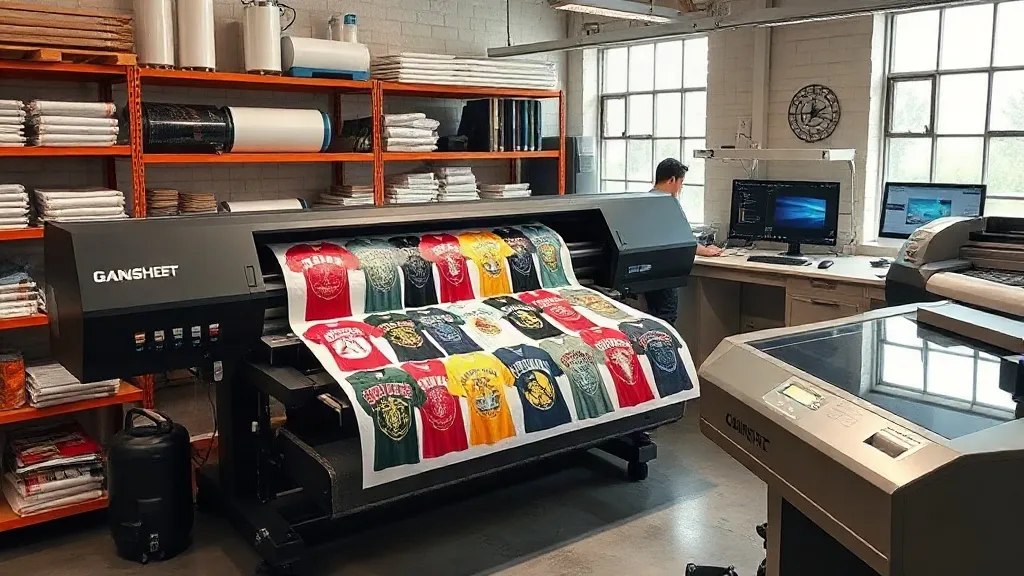
In the bustling world of custom apparel printing, efficiency is the name of the game. Every minute saved and every error avoided directly impacts your bottom line. One tool that has revolutionized workflow for many print shops is the DTF Gangsheet. This article explores how to leverage gangsheets to optimize your production process, from order intake to final pressing, ensuring you deliver high-quality products on time, every time.
What Is a DTF Gangsheet and Why Does It Matter?
A DTF (Direct-to-Film) gangsheet is a single sheet of transfer film that contains multiple designs printed together. Instead of printing each design individually, you gang them up on one sheet, maximizing film usage and reducing waste. This method is not just about saving materials; it's a strategic approach to workflow management. By grouping designs, you minimize setup time, streamline printing, and simplify inventory. For a print shop, this translates to faster turnaround times and lower operational costs.
How to Organize Your Gangsheet for Maximum Efficiency
Creating an efficient gangsheet requires careful planning. The goal is to fit as many designs as possible without compromising quality or causing cutting errors. Here are key steps to organize your gangsheet effectively:
- Group by job or order: Combine designs that belong to the same order or customer to simplify tracking and packing.
- Consider design size and orientation: Rotate designs to fill gaps and use every inch of the film. Nesting software can automate this process.
- Leave adequate spacing: Allow enough space between designs for clean cutting and to prevent ink bleeding.
- Use registration marks: Add marks for alignment, especially if you're using a cutting plotter.
- Prioritize frequently used designs: If you have recurring orders, place popular designs in easily accessible areas of the sheet.
By following these steps, you reduce the risk of mistakes and ensure a smooth workflow from printer to press.
Software Tools for Gangsheet Creation
Several software solutions can help you create gangsheets with ease. Adobe Illustrator and CorelDRAW are popular among professionals, offering precise control over layout. However, dedicated RIP software like Cadlink or Wasatch includes nesting features that automatically arrange designs for optimal film usage. For beginners, online tools like Gangsheet Builder provide templates and drag-and-drop functionality. Investing time in learning these tools pays off in reduced material costs and faster production.
Common Mistakes to Avoid When Building a Gangsheet
Even experienced operators can fall into traps that compromise efficiency. Watch out for these pitfalls:
- Overcrowding: Packing designs too tightly can lead to cutting errors and ink smudging. Always maintain minimum spacing.
- Inconsistent scaling: Double-check that all designs are at the correct size and resolution before printing.
- Ignoring film grain: Some films have a directional grain; aligning designs with the grain ensures consistent peel and transfer.
- Forgetting bleed: Add a small bleed around designs to account for cutting tolerance.
Avoiding these mistakes saves time and materials, and keeps your workflow running smoothly.
Integrating Gangsheets into Your Production Workflow
To fully benefit from gangsheets, integrate them into your daily operations. Start by batching orders: collect similar jobs and print them together on one sheet. This reduces printer downtime and maximizes throughput. Next, standardize your process: create templates for common gangsheet layouts so you can quickly replicate successful setups. Use a job tracking system to monitor which gangsheets are in progress and ensure timely completion. Finally, train your staff on gangsheet best practices, from design placement to cutting and pressing. A well-integrated gangsheet system becomes a seamless part of your production line.
Case Study: How a Small Shop Doubled Output with Gangsheets
Consider a small print shop that specialized in custom t-shirts for local teams. They struggled with frequent printer jams and wasted film due to poorly arranged sheets. After implementing gangsheet software and training staff on nesting techniques, they reduced film waste by 30% and cut production time per order by half. By grouping team orders onto single sheets, they also simplified packing and shipping. Within three months, they doubled their output without adding equipment or staff. This example shows the transformative power of efficient gangsheet management.
Frequently Asked Questions
What is the ideal spacing between designs on a DTF gangsheet?
A minimum of 3-5mm is recommended to allow for clean cutting and to prevent ink from bleeding between designs. However, check your printer and cutter specifications for exact requirements.
Can I reuse a gangsheet layout for different orders?
Yes, if the designs and quantities are similar. Save your gangsheet templates in your software to quickly replicate layouts for recurring jobs, adjusting as needed.
How do I handle different fabric colors on one gangsheet?
DTF transfers are printed on a clear film and can be applied to any fabric color. You can gang designs for different colored garments on the same sheet without issue, as long as you track which design goes to which garment.
What file format is best for gangsheet printing?
PDF and TIFF are commonly used because they preserve vector data and high resolution. Ensure all designs are at 300 DPI and in CMYK color mode for optimal results.
How can I reduce film waste when creating gangsheets?
Use nesting software to automatically arrange designs for maximum density. Also, consider printing on roll film if you have high volume, as it allows for continuous production with minimal waste.