
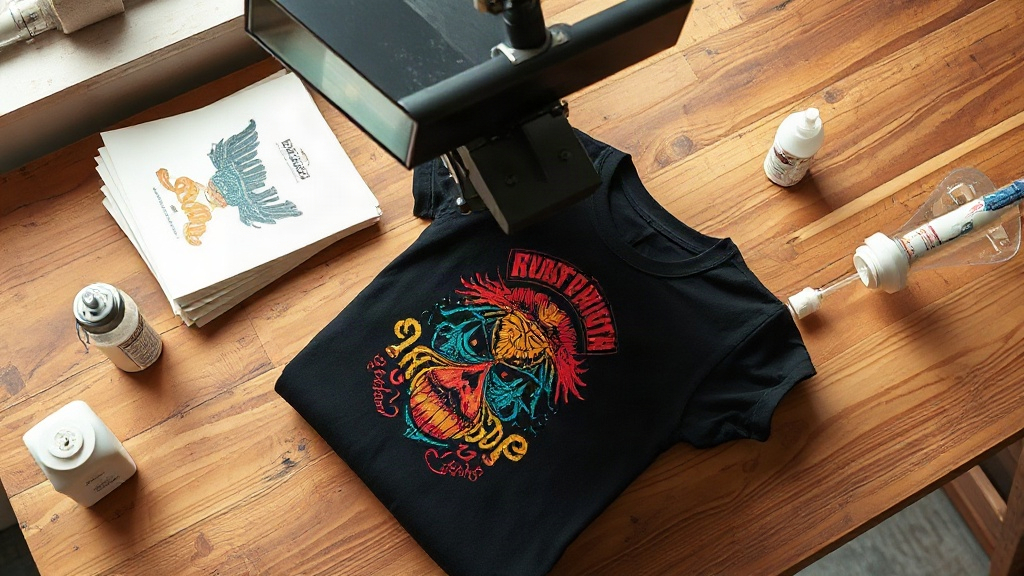
Most people who try DTF Transfers for the first time are surprised by one thing: how little the print changes after a dozen trips through the laundry. No cracking along the edges, no faded patch where the shirt folds, no stiff plastic square sitting on the chest. That durability is not marketing talk. It comes from how the ink bonds to the film and then to the fabric, and once you understand that bond, you stop guessing at press settings and start getting consistent results.
This guide is for the person running a small shop out of a garage, the Etsy seller printing twenty shirts a week, and the hobbyist who is tired of reprinting orders because the vinyl peeled. Everything below comes from hands-on pressing, not spec sheets.
What Makes DTF Different From Vinyl and Screen Print
Heat transfer vinyl is a layer of colored plastic cut to shape and stuck to fabric with adhesive. It sits on top. When the shirt stretches, the vinyl does not, so it cracks. When the adhesive weakens, the edges lift. Screen printing pushes ink into the weave, which is durable, but it requires a screen per color, a long setup, and it struggles on polyester blends because the ink cures differently than the fabric.
DTF Transfers take a third path. A printer lays down white ink, then CMYK ink, onto a special film. A powder adhesive is applied while the ink is still wet, then the whole sheet is cured. When you press it, the adhesive melts into the fabric fibers while the ink layer stays flexible above it. The result is a print that stretches with the shirt because the ink itself is elastic.
Where vinyl still wins
If you are cutting a single-color name and number for a team jersey, vinyl is faster and cheaper. There is no powder step, no curing, no film waste. For one-off personalization in one or two colors, vinyl remains practical. The moment you need gradients, photographs, or four-color artwork, DTF takes over.
Where screen print still wins
Large runs of the same design on 100 percent cotton, in two or three spot colors, still favor screen printing on cost per unit. Once you pass a few hundred pieces, the setup cost amortizes and the per-shirt price drops below DTF. Below that threshold, DTF wins on labor and flexibility.
The Wash Test That Actually Tells You Something
Product listings love to claim fifty washes. That number means nothing without context. Fabric type, detergent, water temperature, and dryer heat all change the outcome. Here is a test you can run yourself in a weekend.
- Press three identical prints on three different fabrics: 100 percent cotton, a 50/50 blend, and a 100 percent polyester performance shirt.
- Wash all three together, inside out, in cold water with normal detergent. No fabric softener.
- Tumble dry on low for the first ten cycles, then check edges and color hold.
- Repeat with warm water and medium heat for another ten cycles to simulate real-world neglect.
What you will typically see: cotton holds color well but the print can feel slightly stiffer because the adhesive grips the fiber tightly. Polyester performance fabric stays soft and the print stretches easily, though very high heat during pressing can cause dye migration from the shirt into the ink. Blends land in the middle.
Dye migration is the real enemy
On red, navy, and black polyester, shirt dye can sublimate into the print during pressing and turn white areas pink or gray. The fix is a low-temperature adhesive powder and pressing at the lower end of the recommended range, usually around 280 to 300 degrees Fahrenheit instead of 325. If you press hot and fast, you trade durability for a color shift you cannot undo.
Press Settings That Hold Up Over Time
Every film and powder combination has its own sweet spot, so treat these as starting points and adjust based on your wash test.
- Pressure: medium to firm. Too light and the adhesive never reaches the fabric. Too heavy and the ink spreads, blurring fine detail.
- Temperature: 300 to 320 degrees Fahrenheit for cotton, 280 to 300 for polyester.
- Time: 10 to 15 seconds for the transfer, plus a 5 second cold peel or warm peel depending on the film.
- Post-press: 5 seconds with a cover sheet to smooth the surface and lock the edges.
Peel temperature matters more than most people admit. Cold peel films need the sheet to cool completely, otherwise the adhesive pulls away with the carrier and leaves a dull finish. Warm peel films want the sheet removed while it is still hot, and waiting too long makes them tear.
Storing transfers before use
Keep unused sheets flat, in a sealed bag, away from humidity. Powder adhesive absorbs moisture from the air, and damp powder presses unevenly, leaving patchy areas that look like a bad print but are really a storage problem. If you live in a humid climate, a silica packet in the bag solves it.
Choosing the Right Fabric for the Job
DTF is not fabric-agnostic, and pretending otherwise leads to complaints. Cotton takes the print beautifully but shrinks, so press after the shirt has been pre-shrunk or washed once. Polyester stays dimensionally stable and the print flexes with it, but demands lower heat. Nylon and spandex blends need a lower temperature still, and some nylon jackets will not accept the adhesive at all.
Canvas bags, denim, and even leather have all been successfully printed with DTF, but each requires testing. The rule that saves money: never promise a customer a result you have not verified on that exact fabric yourself.
Common Mistakes That Ruin a Good Print
Most failures trace back to four habits. Pressing on a wrinkled shirt, which bakes the wrinkle into the print. Reusing a cover sheet that has picked up powder residue. Stacking freshly pressed shirts before they cool, which traps heat and can cause the adhesive to reflow. And skipping the post-press, which leaves edges slightly raised and more likely to catch in the wash.
Fixing these costs nothing. They just require slowing down. A shop that presses fifty shirts a day with a thirty-second quality check per shirt loses less time than a shop that reprints five orders a week.
Frequently Asked Questions
How many washes do DTF transfers realistically survive?
With cold washing, inside-out, and low-heat drying, most quality prints hold color and flexibility well past fifty cycles. The failure point is usually the fabric wearing out before the print does.
Can you layer DTF transfers on top of each other?
Yes, but press the base layer first, let it cool, then press the second layer at a slightly lower temperature to avoid re-melting the first. Keep total layers to two or three before the print starts feeling heavy.
Why did my DTF print crack after the first wash?
Cracking almost always means under-pressing. The adhesive did not fully melt into the fabric, so the print sat on top and split when the shirt moved. Increase pressure or time, and run a wash test before selling.
Do DTF transfers work on dark polyester without dye migration?
They can, if you use a low-temperature powder and press near 280 degrees Fahrenheit. Test on a scrap piece first, because some deep reds and blacks migrate more aggressively than others.
Is DTF cheaper than screen printing for small orders?
For runs under roughly fifty to one hundred pieces, yes. There is no screen setup, no minimum order, and you can change the design between shirts at no extra cost.