
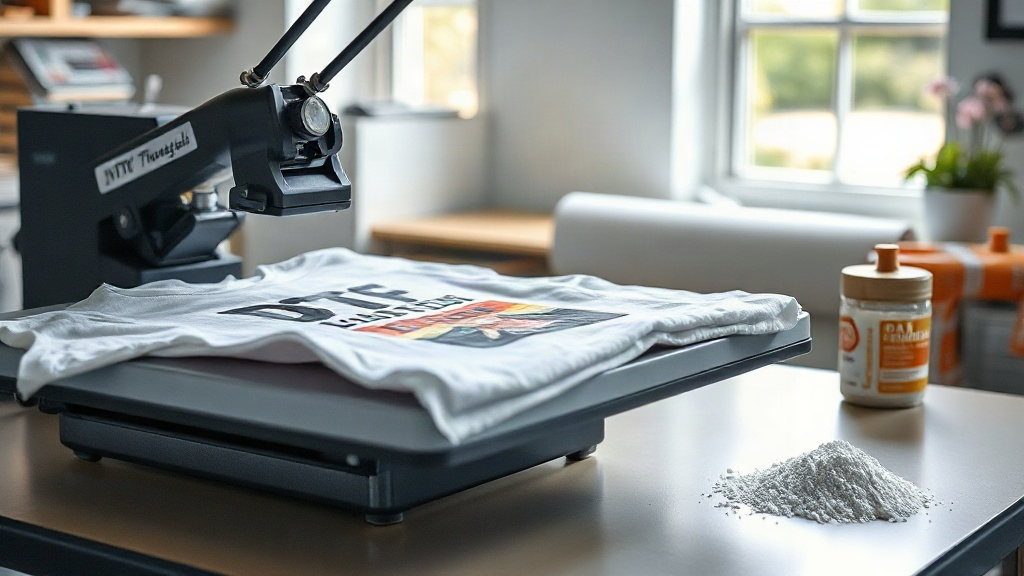
When I first heard about DTF printing, I was skeptical. Could a transfer really hold up on cotton, polyester, and blends without the hassle of weeding? After testing dozens of shirts, I can tell you: DTF (Direct to Film) has become my go-to for small batches and complex designs. In this guide, I'll walk you through the entire process, sharing the mistakes I made so you can avoid them. Whether you're a hobbyist or a shop owner, understanding DTF will open up new possibilities for your custom apparel.
What Exactly Is DTF Printing?
DTF stands for Direct to Film. It's a digital printing method where your design is printed onto a special PET film, coated with adhesive powder, and then heat-pressed onto fabric. Unlike DTG (Direct to Garment), DTF doesn't require pre-treatment, and it works on almost any fabric, including cotton, polyester, nylon, and even leather. The magic happens in the transfer: the ink is printed in reverse onto the film, then powdered and cured. When you press it, the adhesive melts into the fabric, creating a strong bond.
Why Choose DTF Over Other Methods?
I've tried vinyl, DTG, and screen printing. Each has its place, but DTF shines for detailed, multi-color designs without setup fees. Here's why I keep coming back:
- No weeding: Forget the tedious process of cutting and weeding vinyl. DTF transfers come ready to press.
- Fabric versatility: From 100% cotton to 50/50 blends, DTF adheres well. I've even pressed it on canvas bags.
- Durability: When done right, DTF prints survive dozens of washes without cracking or fading.
- Cost-effective for short runs: No minimums, no screens. Print one or one hundred.
The DTF Printing Process Step by Step
Let's break down the workflow. I'll assume you have a DTF printer (or are outsourcing to a service). The steps are similar whether you print yourself or buy transfers.
1. Designing Your Artwork
Start with a high-resolution image (300 DPI). Remember that DTF prints white ink as a base, so your design should have a transparent background. I use Photoshop or GIMP to remove backgrounds. If your design has white elements, they'll be printed with white ink, which is fine. But keep in mind that the white base adds opacity, so colors may look slightly muted until pressed.
2. Printing on PET Film
Load your DTF printer with PET film, shiny side up. The printer lays down CMYK inks, then a layer of white ink. This white layer is crucial for vibrant colors on dark garments. After printing, the film will be wet. You'll need to powder it.
3. Applying Adhesive Powder
While the ink is still wet, sprinkle hot-melt adhesive powder evenly over the print. I use a powder shaker for consistency. Then, tilt the film to shake off excess powder. You want a thin, even coating. Too much powder can lead to a stiff feel; too little and the transfer won't adhere.
4. Curing the Powder
This is where many beginners stumble. You need to melt the powder until it turns glossy. I use a heat gun or a curing oven. With a heat gun, keep it moving to avoid scorching. The powder should go from matte to shiny. If it's still matte, it's not cured. Once cured, the film can be stored or pressed immediately.
5. Heat Pressing the Transfer
Set your heat press to 325°F (160°C) with medium pressure. Pre-press the garment for a few seconds to remove moisture. Place the transfer on the fabric, powder side down. Press for 15-20 seconds. Then, peel the film while it's hot (hot peel) or cold (cold peel), depending on your film type. I prefer hot peel for a glossy finish. After peeling, press again for 5-10 seconds with a cover sheet to ensure full adhesion.
Common DTF Problems and How to Fix Them
Even with experience, issues pop up. Here are solutions to the most frequent headaches.
Transfer Not Sticking
If the transfer peels off after washing, several culprits are possible. First, check your powder: it might be under-cured. Second, your pressure might be too low. Third, the fabric might have a coating (like water-repellent finishes) that blocks adhesion. Try pre-pressing longer or using a adhesive promoter.
Cracking or Fading
Cracking usually means the ink layer is too thick or the powder wasn't fully melted. Fading can happen if you wash with harsh detergents or high heat. Always wash inside out in cold water and tumble dry low. I also recommend waiting 24 hours before the first wash.
Color Looks Dull
This often happens on dark shirts if the white ink layer is too thin. Increase the white ink density in your printer settings. Also, ensure your powder is fully cured; uncured powder can make the print look hazy.
Choosing the Right Supplies for DTF
Not all films and powders are created equal. I've tested several brands, and here's what I look for.
PET Film
Look for double-sided matte film or single-sided. The thickness matters: 75 microns is standard, but thinner films (50 microns) can give a softer hand. I prefer films that release easily and don't curl.
Adhesive Powder
TPU powder is the most common. It's flexible and durable. Particle size affects feel: finer powder (80-200 microns) gives a smoother finish. Avoid cheap powders that clump or yellow over time.
Inks
Use DTF-specific inks. They have the right viscosity and pigment load. Mixing brands can cause clogs. I stick with one brand for consistency.
DTF vs. Other Printing Methods: A Quick Comparison
How does DTF stack up against DTG, screen printing, and vinyl? Here's my take.
- DTG: Best for 100% cotton, but requires pre-treatment and can be inconsistent. DTF is more versatile.
- Screen Printing: Great for large runs, but setup costs are high. DTF wins for small batches.
- Vinyl: Limited to simple designs and requires weeding. DTF handles complex art with ease.
Frequently Asked Questions About DTF Printing
Can I use DTF on 100% polyester?
Yes, DTF works on polyester, but you need to lower the press temperature to around 280°F (140°C) to avoid dye migration. Also, use a low-melt powder to prevent ghosting.
How long do DTF transfers last?
With proper washing, a DTF print can last 50+ washes. I've had shirts go through a year of regular wear with minimal fading.
Do I need a special printer for DTF?
You can convert an Epson printer with DTF inks and a RIP software, but dedicated DTF printers are more reliable. If you're just starting, consider outsourcing transfers from a service like dtfprintfast.com.
What's the best way to store DTF transfers?
Keep them in a cool, dry place away from direct sunlight. I store mine in a zip-top bag with a silica packet to prevent moisture. They can last up to 6 months.
Can I layer DTF transfers?
Yes, you can layer multiple transfers, but press each one separately. Wait for the first to cool before adding the next. This prevents smudging.
Mastering DTF takes practice, but the results are worth it. Start with a small batch, tweak your settings, and soon you'll be producing professional-grade apparel from your home studio. If you have questions, feel free to reach out. Happy printing!